Keep the design tools you love. MyHealthFollowup connects your emails to Cliniko for reminders, recalls, feedback and newsletters, all from one dashboard.
Using Calendly? See Calendly features. Each workspace connects to one booking platform at a time.
Common ways clinics use MyHealthFollowup
New booking welcomes
Pre-visit preparation
Post-visit care
Review requests
Patient feedback after chosen visits
Rebooking reminders
Longer-term recalls
Patient education
Clinic newsletters
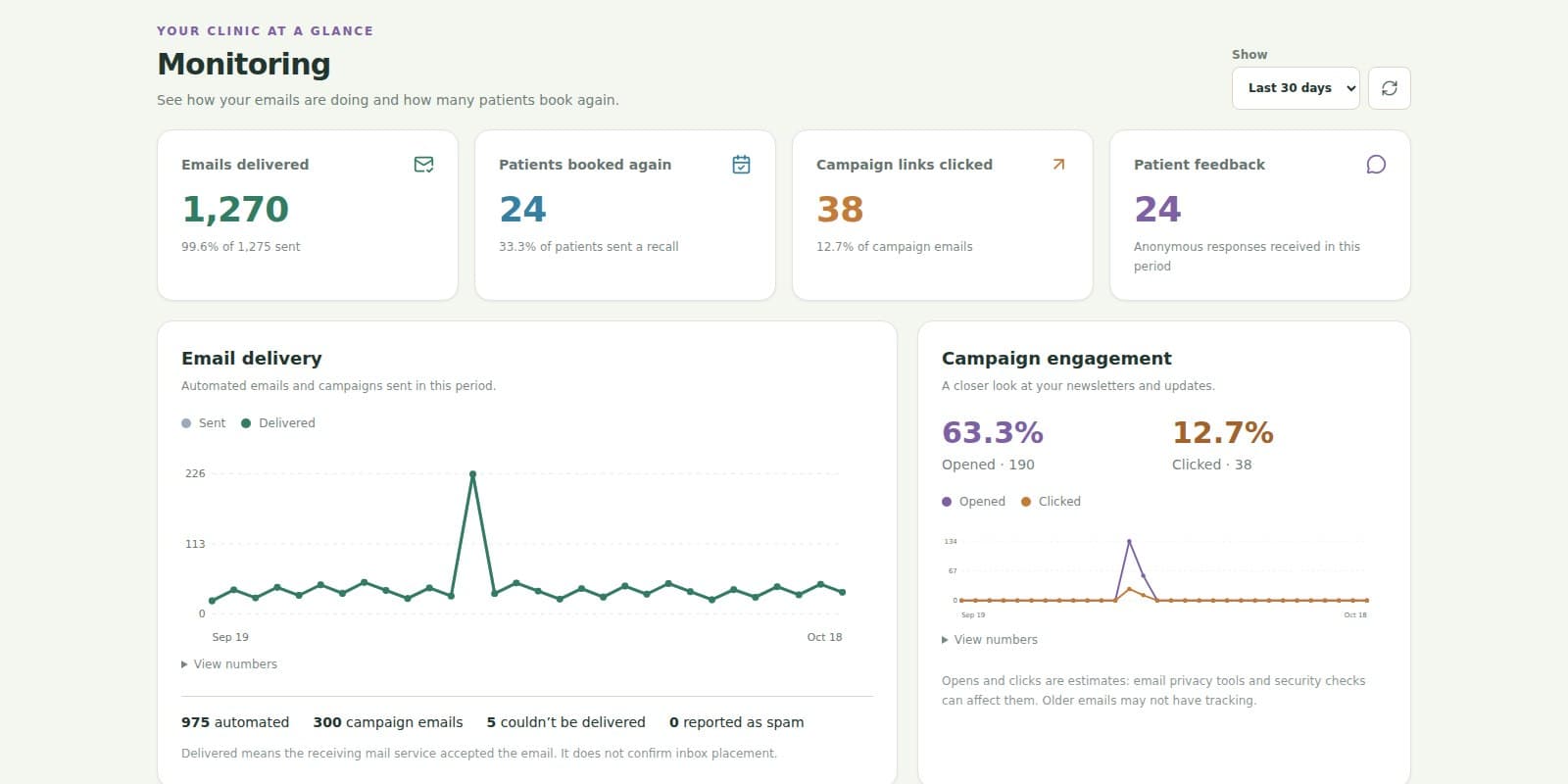
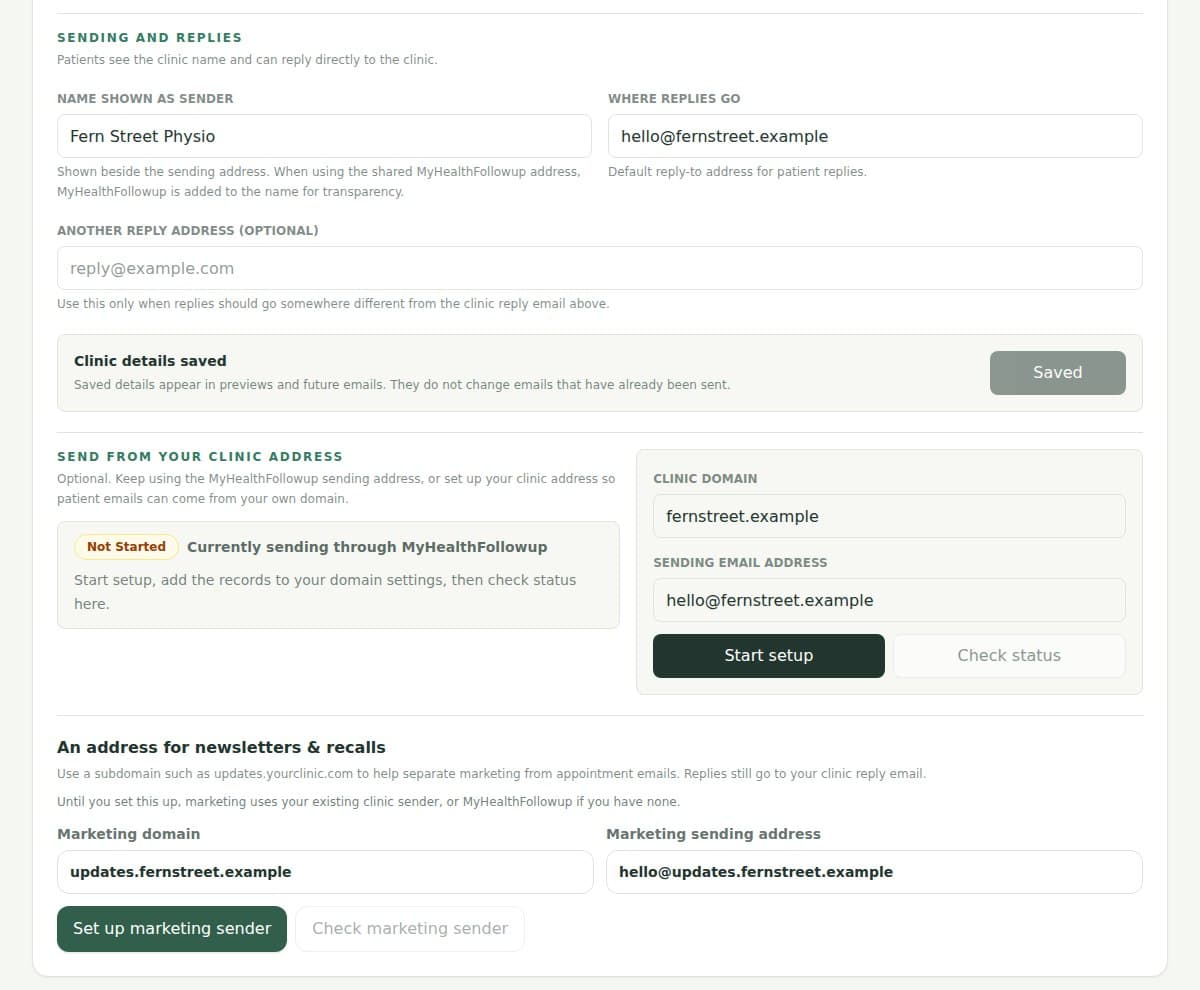
Screenshots show the current dashboard with fictional clinic details, activity and results.
Your email designs
Your favourite design tools. Your clinic emails.
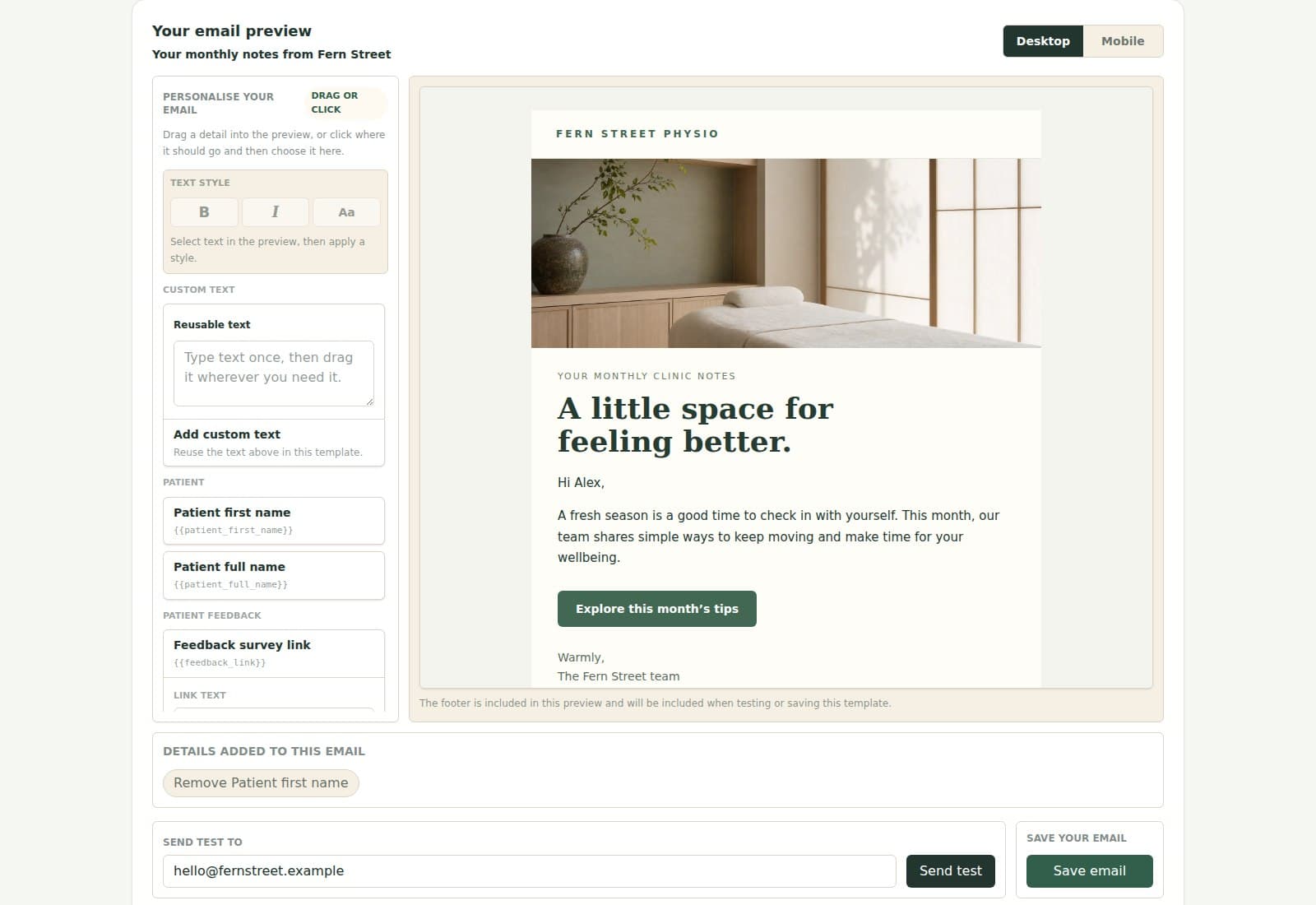
Create in Canva Email, Mailchimp or Beefree, then bring the finished email into MyHealthFollowup. Add patient details and reuse it for the right moments.
Upload a Canva Email HTML-and-images ZIP; we host the included images
Import email HTML from Beefree and other builders, or a custom-coded Mailchimp template
Choose from 100+ ready-made clinic designs if you need a starting point
Personalise with patient names, appointment details, clinic information and booking links
Preview on desktop and phone, then send yourself a test
Update a saved design or make a separate copy; a built-in editor is available too
Automations
One simple setup, from design to automation
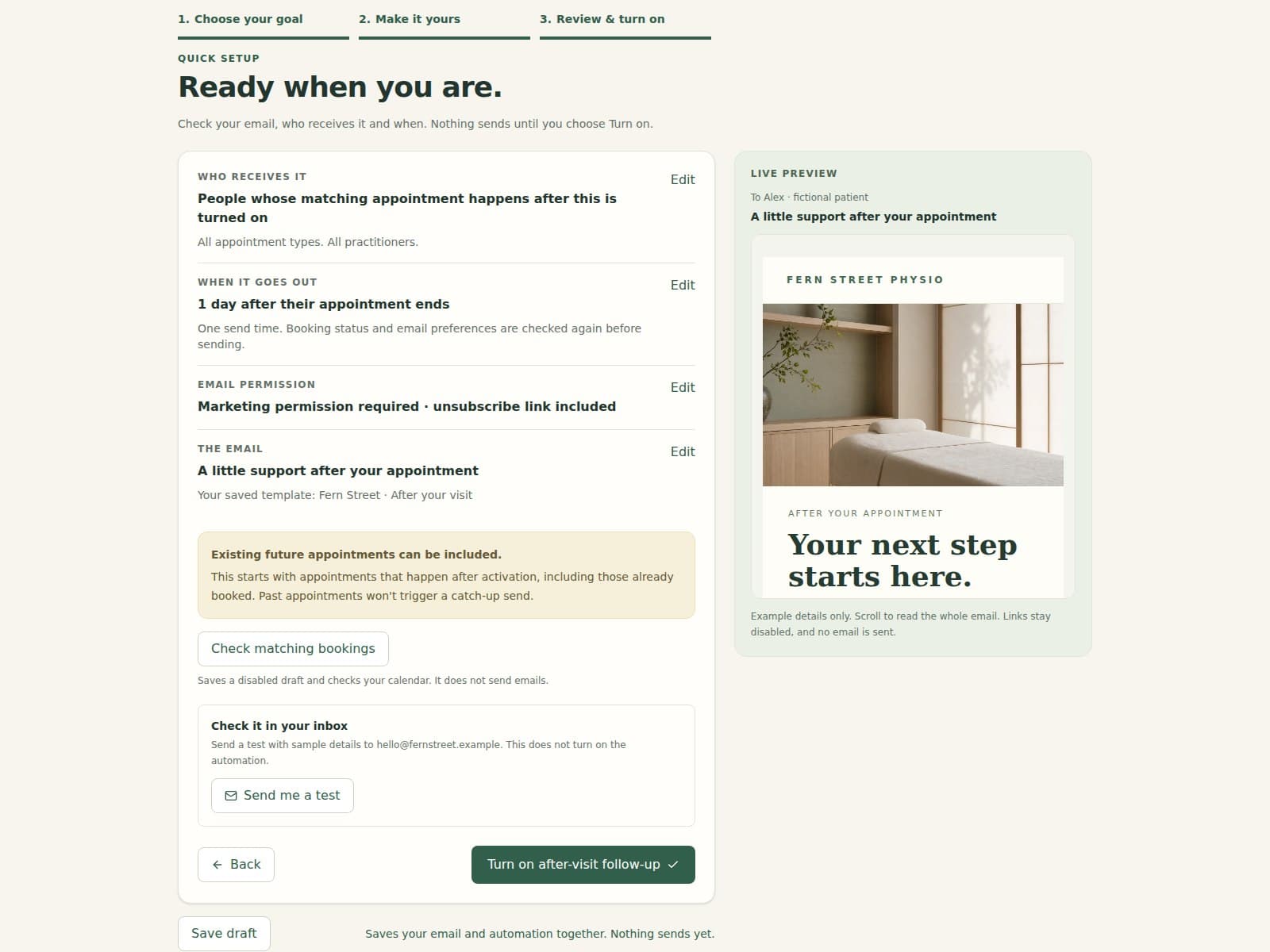
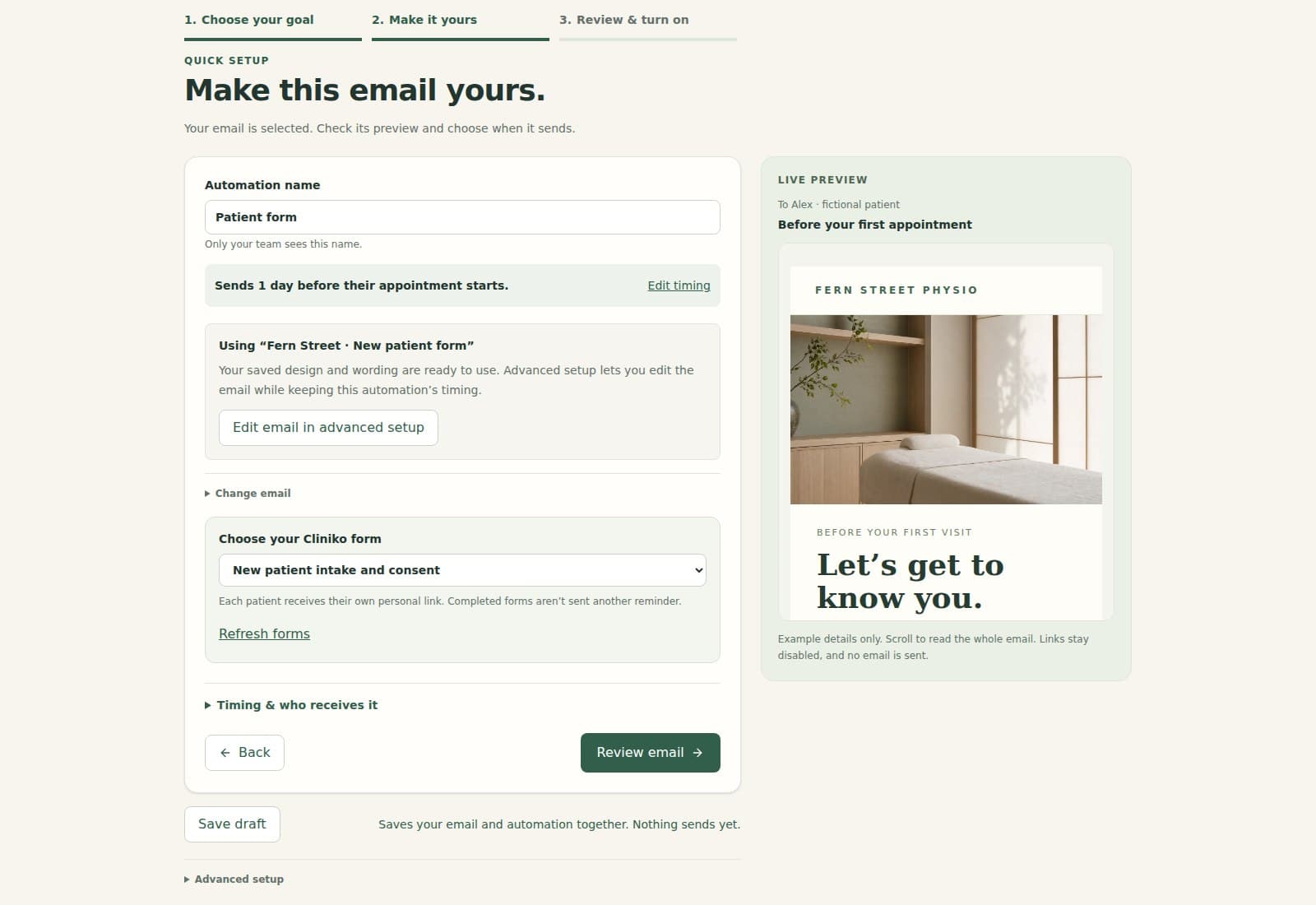
Use Quick setup at the top of your dashboard to choose an email, make it yours and decide when it sends. Review everything before turning it on.
Reminders before a visit, aftercare afterwards, and recalls up to 18 calendar months later
Import a design in the same flow or use an email you have already saved
Clear guidance when an email needs a different automation type
Save an automation draft and come back later; nothing sends until you turn it on
Use New advanced automation for extra timing, appointment filters and booking-triggered emails
Cliniko: start an email when a patient matches a medical alert rule
Cliniko filters include location, practitioner, appointment type and medical alert; Calendly uses event type, host and meeting location
Patient forms and thoughtful follow-ups
Send the email that fits the patient
Connect Cliniko forms, follow up after a first visit, and avoid rebooking prompts when the patient has already booked again.
Cliniko: choose a form during setup when your email already includes a patient form link
Cliniko: send a personal form link and skip the email if the form is already completed
Cliniko: target the first attended visit using appointment history and recorded arrival
Use the latest matching appointment, skip patients who rebook, and limit repeat messages
Check cancelled bookings and relevant email preferences before sending; Cliniko after-visit emails also check attendance
Campaigns
A fresh newsletter each month, with less admin
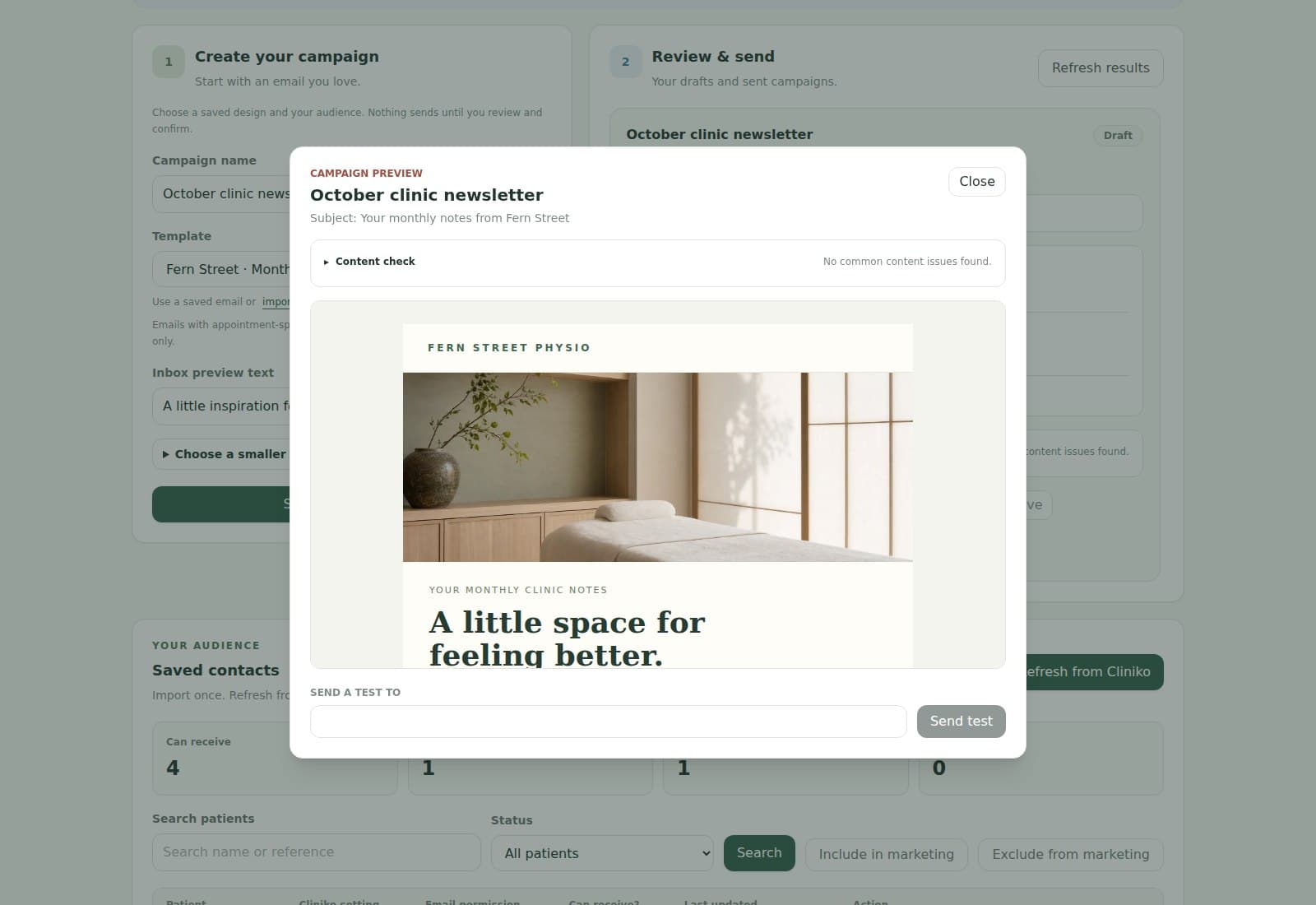
Bring your next newsletter design, reuse your saved audience and choose a send date. Prepare each edition ahead of time.
Save contacts once and refresh from Cliniko or Calendly for new people and changed details
Use Cliniko marketing preferences or record permission for Calendly invitees
Filter and review the audience, preview the email and send a test
Send now or schedule that edition for later
Unsubscribe links are added automatically, including on imported designs
Opt-outs remain excluded and are sent back to Cliniko; permission is checked again before sending
Monitoring and Logs
See how your emails are doing
Monitoring brings delivery, campaign activity and Cliniko patient feedback into clear graphs. Open Logs for the details of an individual email.
Delivery and campaign engagement graphs for the last 7, 30 or 90 days
Cliniko: new bookings within 30 days of a recall, shown as an observation rather than proof the email led to a booking
Cliniko: anonymous 0–10 recommendation surveys, overall NPS and optional comments
Owners and administrators can read feedback comments; public review requests use your own review link
Campaign delivery, opens, clicks, bounces and unsubscribes in one place
Logs show upcoming sends and readable skip or failure reasons, with cancellation and retry controls
Sending
Send as your clinic. Direct replies to your team.
Start with a MyHealthFollowup sending address and your clinic reply address. On a paid plan, verify your own domain from the dashboard.
Show your clinic name and choose where patient replies go
Step-by-step domain setup with records to give your website or IT provider
Campaign content suggestions highlight unfinished links and image-heavy designs
Bounced addresses and complaints are checked before future sends
Delivery reporting shows receiving-server acceptance; no email service can promise inbox placement
Security and billing
Straightforward plans and clinic controls
Try your emails before choosing a plan. Your practitioner count sets the price, and admin staff do not add to that count.
30-day free trial and plans from $8 AUD per month
Team is $75 AUD per month for up to 25 active practitioners
Paid clinics with more than six practitioners have no monthly email cap; sending pace and safety checks still apply
Protected Cliniko connections and access controls for your clinic team
Manage your subscription through Stripe
Cliniko connected app
Built for clinics already working in Cliniko.
MyHealthFollowup is listed in Cliniko's connected apps directory. Cliniko remains the clinic's main place for appointments and patient records while MyHealthFollowup handles the email workflow around them.